
FeaturesEverywhere

Everywhere you are

The same lists on your iPhone, your Android phone and in your browser, with one account. Add something on one, and it is on the others a moment later.

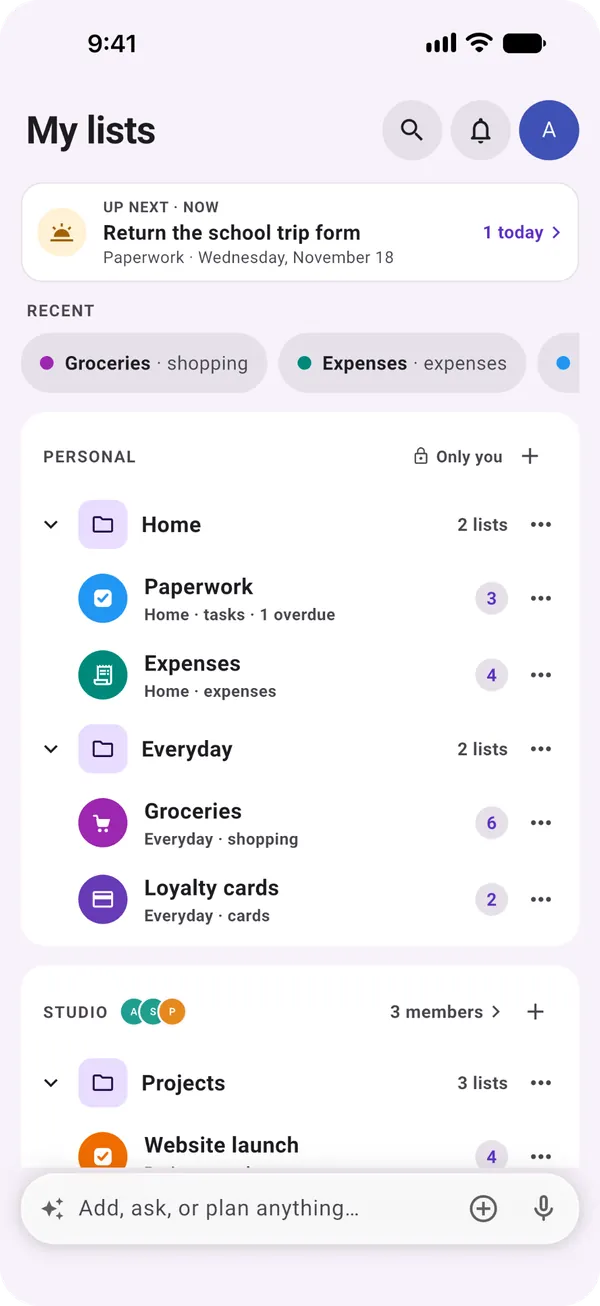
My lists in Moonto: Up next at the top, recent lists, then the lists grouped by space, with the bar at the bottom.

Where it runs

One account, every screen.

Moonto is an app for iPhone, iPad and Android, and a web app for any browser. Your lists live with your account, not on one device: sign in somewhere else and they are all there.

iPhone and iPad

Free

The whole app: your lists, the bar at the bottom to ask Moonto, Up next, the calendar, widgets, Siri and Shortcuts.

On an iPad, or any screen wider than a phone, your lists stay open in a sidebar next to the list you are working in.

You add
« Return the school trip form » on your iPhone
Then
It is in Paperwork on your iPad too, and in Up next when it is due
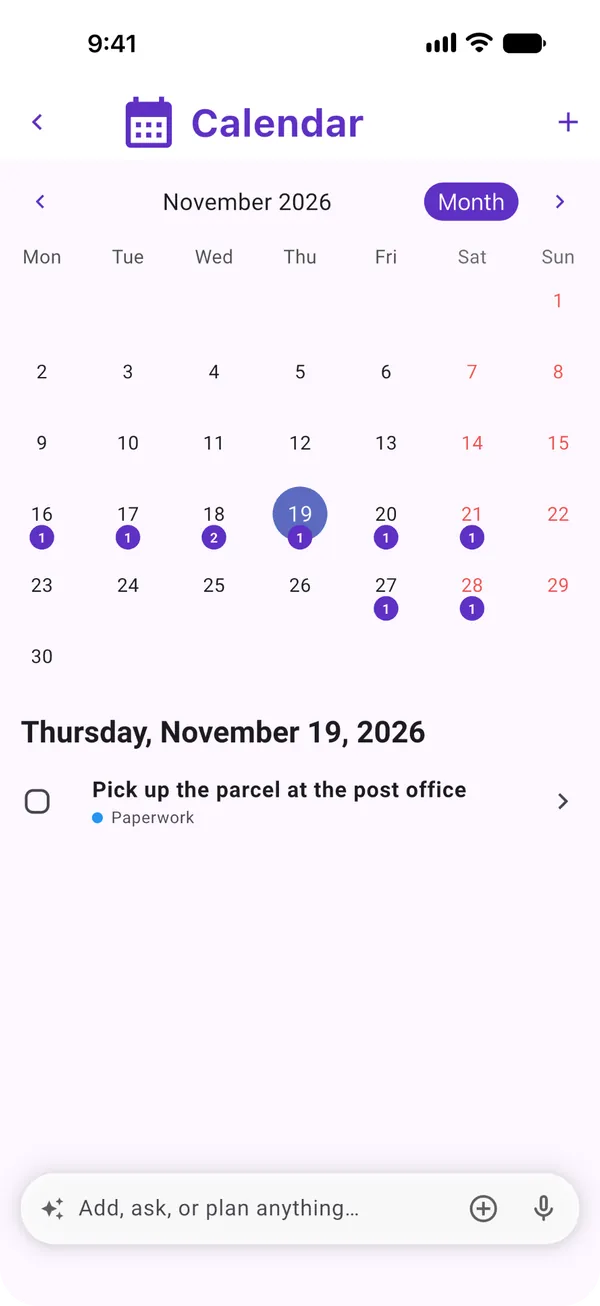
Moonto's calendar on iPhone, with a number under each day that has something due

Android

Free

The same app and the same lists, from Google Play. Widgets go on your home screen, and a long press on the Moonto icon offers Add to Moonto, which opens the bar ready to type.

You long-press
The Moonto icon, then Add to Moonto
Then
The bar opens, ready for what you want to add

The web app

Free

Moonto also runs in a browser, at lists.moonto.app. Sign in with the same account and you get the same lists: handy on a laptop at work, or on any computer.

It is the same Moonto, with a few things only a phone can do. Photos come from a file rather than the camera, and reminders arrive as notifications on your phone, not in the browser.

Open the web app

In the browser
Your lists and spaces, typing into a list, asking Moonto, sending a photo or a PDF from a file, search, sharing, the calendar, Settings
On the phone only
The camera, notifications, widgets, Siri and Shortcuts, working offline

One account

Free

There is no guest mode: you sign in once on each device, and Moonto keeps your lists with your account. A new phone opens them as you left them.

No password to remember. With your email, Moonto sends you a 6-digit code each time you sign in.

  • AppleOn iPhone, iPad and the web
  • GoogleOn every device
  • Your emailA 6-digit code, no password

Offline on your phone

Free

No signal in the shop or on the train? On iPhone and Android you can still open your lists, add rows and check them off. The changes are sent as soon as you are back online, and the people you share with see them then. Asking Moonto and invitation links need a connection.

Offline
You check off milk and bread in the shop
Back online
Both are checked off on Groceries for everyone you share it with

Widgets

Free

Five widgets for the home screen, the same on iPhone and Android. What you send through « Send to Moonto » goes to Moonto's AI, so it needs Premium or the trial; the others are free.

  • Send to MoontoType, speak or take a photo
  • Up nextWhat's next, the rest of today and what's coming
  • Up next · TodayHow much is left today and when the next one is
  • A listAny list on your home screen, drawn by its kind
  • Moonto CardsYour loyalty cards, ready at the till

Siri, Shortcuts and quick actions

Free: Add a rowPremium: Add to Moonto

On iPhone, say « Add to Moonto » to Siri, or use Moonto's actions in the Shortcuts app. On Android, long-press the Moonto icon.

Sending things in

8 languages

Free

Moonto speaks eight languages, and Arabic reads right to left. The app follows your phone's language; to use another one, pick it in Settings › Language.

Everyone who shares a list sees the app in their own language. The rows stay as they were written.

  • English
  • Français
  • Deutsch
  • Italiano
  • Español
  • Nederlands
  • Português
  • العربية

How to start

Three steps.

  1. Get Moonto

    From the App Store or Google Play, or open lists.moonto.app in your browser. It is free to start.

  2. Sign in the same way everywhere

    Use the same Apple, Google or email sign-in on each device, and your lists follow you.

  3. Put Moonto on your home screen

    Add Up next or one of your lists as a widget, so you see what's coming without opening the app.

Send it to Moonto.

On iPhone, Android and the web, in 8 languages. Free to start.

Everyone you share with uses it free.